Security & Privacy
Universal Inbox issues you a few different kinds of credentials and authorizations as you use the product. This page describes where each one lives, how to inspect it, and how to revoke it if you no longer need it.
Authentication methods
You can sign in to Universal Inbox using any combination of the methods your administrator has enabled — typically a password, a passkey (WebAuthn), and/or Google Sign-In (OpenID Connect). Multiple methods can be linked to the same account so you can pick whichever is most convenient on a given device.
To manage your authentication methods, open your user profile and look for the Authentication methods card:
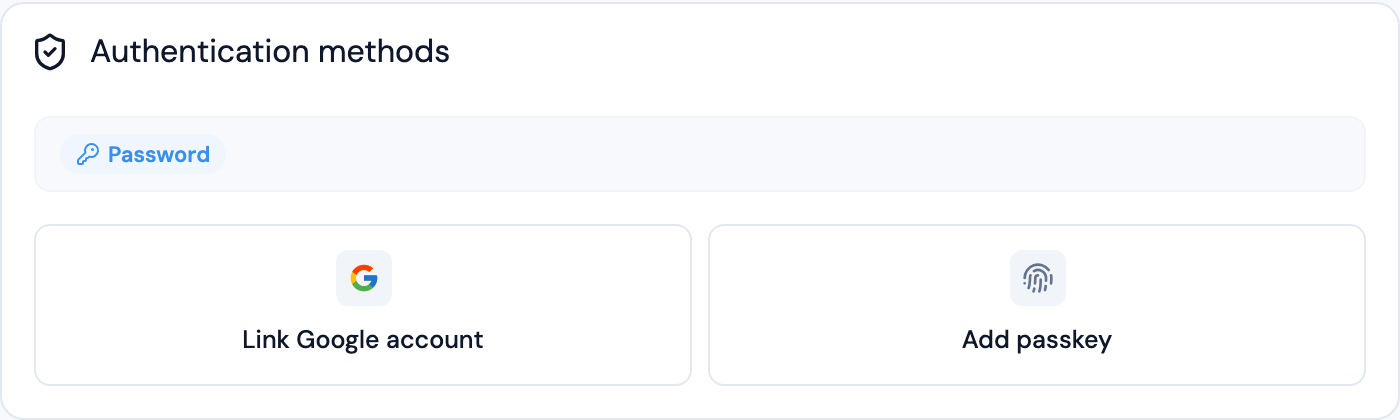
From this card you can:
- See which methods are currently linked
- Add a password if you only signed up with Google or a passkey
- Add a passkey to an existing account
- Remove a method (Universal Inbox always keeps at least one method linked so you cannot lock yourself out)
The set of methods you can add depends on what is enabled on your instance. Self-hosted operators configure this through the [[application.security.authentication]] blocks in the server config.
Authorized OAuth clients
When you sign an external application into Universal Inbox via OAuth (for example, an MCP client like Claude Desktop, or a custom script using the OAuth 2.1 flow), the authorization is recorded on the Security page under Authorized OAuth2 clients:

For each authorized client you can see:
- The client's display name
- The scopes it was granted (
read,write) - When it was first authorized
- When it was last used
Use the per-row action to revoke a client's access. Once revoked, that client's refresh tokens are invalidated immediately and any access token will stop working at the next request.
Universal Inbox's integrations (GitHub, Linear, Slack, Todoist, TickTick, Google Mail/Calendar/Drive) run their OAuth flows directly against the upstream provider. You can review and revoke Universal Inbox's access to each provider from that provider's own security settings, the same way you would for any other connected app.
API keys
API keys are an alternative to OAuth for tools that do not implement the MCP authorization spec (for example, the Raycast extension). The Security page lists every key you have created, when it was last used, and lets you revoke any key you no longer need.
For details on creating and using API keys, see API usage.